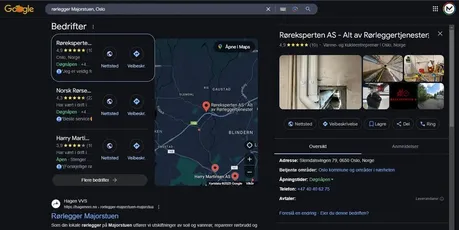

Google Business Profile is the free listing that shows your business in Google Maps and in searches from people nearby. For many local businesses, it's more important than the website itself, yet most have only set it up halfway.
Here you'll learn what Google itself says determines local ranking, how to create and verify your profile, the checklist we use with clients, and how reviews affect whether you get chosen. With a dedicated client case at the end.
In Short
Google Business Profile is the free listing that shows your business in Google Maps and in search results for people nearby. It was called Google My Business until 2021 and is the same service. The right category, complete information and fresh reviews determine whether you show up, and it can all be done yourself in under an hour.
What You'll Learn in This Post
- What Google Business Profile is, and why Google My Business changed its name
- The three factors Google itself says determine local ranking
- How to create and verify the profile
- The checklist we use with clients to optimize it
- How reviews affect visibility, with numbers from 2026
- What happens when the profile works against you, from an actual client case
What Is Google Business Profile?
Google Business Profile is the free listing that shows your business in Google Maps and in search results when someone searches for what you offer nearby. It shows name, address, opening hours, photos, reviews and a button to call or get directions.
The service was called Google My Business until November 2021, and the app was discontinued in 2022. The content is the same, but today you edit the profile directly from Google Search and Maps. If you search for "google my business", it's actually Business Profile you're looking for.
For most local businesses, the profile is the first thing customers see, often before the website. That's why it's also the first thing we go through in our local SEO service.
What Determines Whether You Show Up in Local Search?
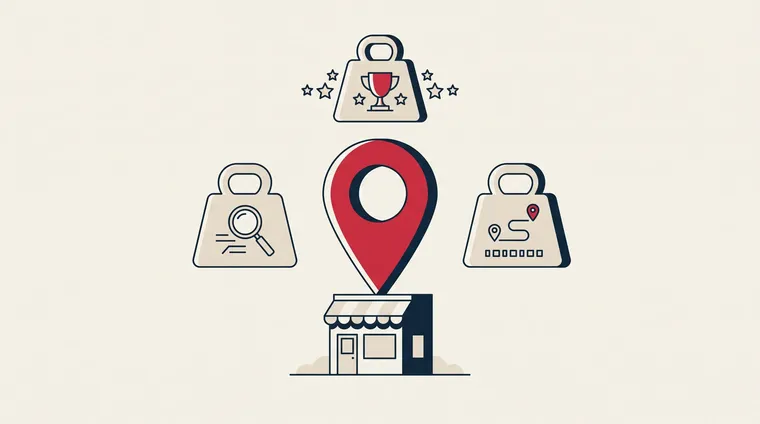
Google itself says local ranking is built on three factors, according to Google's help pages for Business Profile: relevance, distance and prominence.
- Relevance: How well the profile matches what someone is searching for. Complete and accurate information lets Google connect you to the right searches.
- Distance: How far the business is from the person searching. You don't control this, but a correct address and service area help Google place you correctly.
- Prominence: How well known the business is. Google measures this through links to the website, the number of reviews and how good they are.
You can influence two of the three. Relevance through what you fill in, and prominence through reviews, mentions on other websites and a website that ranks on its own.
How to Create and Verify the Profile
If the business has existed for a while, a profile often already exists, created by Google or by a former employee. Search for the business name in Google Maps first. If you find it, claim it. If you don't find one, create a new one at business.google.com.
- Use the correct name: The legal or marketed name, without place names or keywords added. Google can suspend profiles that stuff the name with "best plumber Chicago".
- Choose the main category carefully: The category is the most important relevance signal. "Accountant" and "Accounting Firm" are different categories with different searches.
- Address or service area: If you have premises customers visit, provide the address. If you travel to customers, hide the address and set a service area instead.
- Verify: Google requires proof that you run the business, usually with a video of the premises. Sometimes SMS, phone or postcard are offered instead. Without verification, the profile won't show in full.
The Checklist We Use to Optimize the Profile
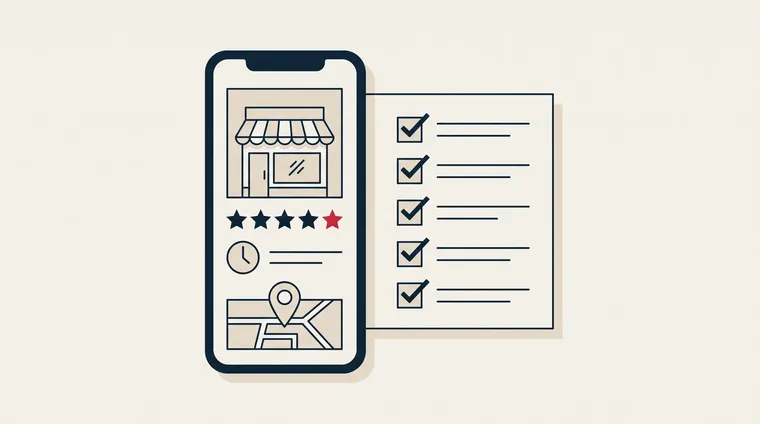
These are the points we go through with every client. Most take under an hour combined, and they're free.
- Categories: One main category and all relevant additional categories. Not more than what you actually offer.
- Services and products: Enter each service with a short description. Google uses them to match searches the profile otherwise wouldn't show for.
- Opening hours: Including special opening hours for holidays. A profile that says "open" when you're closed leads to bad reviews.
- Description: Up to 750 characters about what you do, for whom and where. Write for the customer, not for Google.
- Photos: Real photos of premises, people and work, with new photos every month. Google shows the newest photos first, and profiles with photos get more clicks than profiles without.
- Attributes: Parking, accessibility, payment methods. Everything Google lets you fill in counts as relevance.
- Posts: Short updates about offers, news and events. They show that the profile is in active use.
- Questions and answers on the website: Google removed the Questions and Answers feature from the profile at the end of 2025. Customer questions are now answered by AI that draws on the profile, the reviews and your website. Put the most common questions on the website with FAQ markup, so it's your answer Google uses.
- Link to the website: To the page about the service, not necessarily the homepage. Make sure the website shows the same name, address and phone as the profile.
Reviews: The Signal That Matters Most
Reviews affect both prominence in Google's ranking and whether the customer actually chooses you. BrightLocal's 2026 consumer survey found that 97 percent read reviews before choosing a local business, that 41 percent always do so, and that 31 percent require at least 4.5 stars before considering the business. The figures are from 1,002 respondents in the US, according to BrightLocal.
Two more figures from the same survey explain why speed matters. 47 percent rule out businesses with fewer than 20 reviews, and 74 percent only care about reviews written in the last three months. Ten great reviews from last year won't help you much today.
Here's how we work with reviews for our clients:
- Ask for the review right after the job: Send the link to the review form by SMS or email the same day. Google creates the link for you in the profile.
- Reply to all of them: Also the good ones, and especially the bad ones. The reply is read by everyone considering you.
- Never buy or pressure: Google removes fake reviews, and customers see through them. Nine genuine reviews beat fifty bought ones.
Reviews aren't only read by people. BrightLocal found that AI tools like ChatGPT are now the third most important source of local recommendations, and the AI answers are based on the same reviews and the same profile. If you want to know how your business shows up there, we have a dedicated guide to AEO and AI search.
When the Profile Works Against You: A Client Case
When we took over the website for The Box, a provider of coworking spaces, offices and meeting rooms in Grünerløkka, Oslo, the problem wasn't the website alone. The business information was incomplete, and the website lacked structured information about address, organization number and coverage area. That leaves Google with little to build relevance on.
We added complete local business information to the website and built one page per office solution with pricing, so every search has a page that answers it. Now we're cleaning up the profile and directory listings, so name, address and phone become identical across the profile, the website and directories like Proff and 1881. This is the order we recommend: website first, profile second, directories last.
Want the complete recipe for local visibility, from profile to website to reviews? We've put it all together in the guide to local SEO.
Frequently Asked Questions
Is Google Business Profile free?
Yes. Creating, verifying and maintaining the profile costs nothing. Google makes money from ads, not from the profile. If you pay someone for the profile, you're paying for the work, not for Google.
What's the difference between Google My Business and Google Business Profile?
None. Google My Business changed its name to Google Business Profile in November 2021, and the app was discontinued in 2022. Editing moved to Google Search and Maps. The content and purpose are the same.
How do I manage Google Business Profile?
Log in with the Google account that owns the profile, and search for the business name in Google or open it in Maps. The editing menu then appears directly in the search result. You can also go to business.google.com. Give employees access as managers instead of sharing the password.
Why isn't my business showing up on Google Maps?
The most common reasons are that the profile isn't verified, that the category is wrong, or that the address is hidden without a service area set. Check these three first, and see if the profile has received a warning from Google.
How long does it take before changes show up?
Small changes, like opening hours, usually show up within a few hours. Changes to name, category or address may require a new review by Google and take a few days.
Can Mementor set up and manage the profile for us?
Yes. Google Business Profile is part of our local SEO service, which costs $499 per month with no binding period. We set up, optimize and follow up on reviews, and you own the profile yourself.
Conclusion
Google Business Profile is the cheapest visibility a local business can get. Fill in everything, choose the right category, keep the information consistent everywhere, and ask for reviews after every job. Do that, and you've done more than most competitors in your area.